Advice for UK Consumers

Photography deals for UK Consumers
This page offers some help on buying and getting the most from your digital camera and your digital photo collection
Special Printing Offers Need some photos printed, or some personalised gifts from your photo collection? We're happy to recommend PhotoBox - and here are some special money-off codes, which can be used at the online checkout:
|
Buying a digital camera
Digital cameras are great. With a digital, you get the option to see the picture you've just taken and snap again if you need to, and there's no need to worry about the processing costs, as you can delete any duff pictures, and snap away without worrying about the per-picture cost. There are however, a few things to bear in mind to help make the right choice. If you're looking to buy a digital camera for the first time, here's some general advice:
Firstly, consider what you're actually planning to do with the photos you take - are you planning to store the pictures on your PC, are you planning to put your images on the web, or are you planning to print out your pictures? These decisions may have an effect on your buying choice, as we outline below:
Quality - For printed images, 2 Megapixels is the minimum, and 4 and over, ideal. If you're after quality, go for as high a number of megapixels as possible. Remember that the higher the quality, the more memory each picture uses.
 Memory - Go for a camera that supports removable memory card (as opposed to built-in memory). This means that you carry spare memory around with you. The most common format found today is the SD card (about the size of a postage stamp). 256Meg card costs around £30, and holds around 150 images (assuming 3megapixels, high quality with minimal compression). If you're prepared to drop the resolution, you can get considerably more. For more information on memory cards, and some good bargains in low-price cards, see the page at FileSaveAs
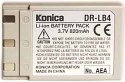 Battery - Using the LCD screen on a digital camera EATS batteries... For that reason, choose carefully. A rechargeable battery is the most economic option (much cheaper than replacing AA batteries after a long photo shoot). We recommend getting a camera that supports a removable rechargeable battery, so that you can carry a fully-charged spare around with you. The only downside to this option, is that if your camera battery goes flat when you're without your mains charger and a mains supply. There are a few cameras out now that have a removable rechargeable battery which can be removed and replaced with a couple of normal AA batteries.... The best of all worlds.
Zoom - Go for something with optical zoom - We've found that 3 x optical is pretty much a requirement for general snapping. Forget digital zoom!
Printing - The options open to you for printing, are as follows:
- Printing via a colour inkjet printer that supports photo printing. Colour inkjets start from around £50 at Argos. Note that it can be costly buying the ink and photo paper, and you'll need a paper cutter to trim the pics.
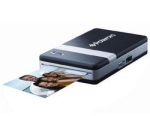 Buying a dedicated photo printer, or a camera with a docking station printer, or (convenient, but again watch those consumable costs - you also have little control over image editing, cropping and photo touch-up). At the time of writing, these cost upwards of £100 from the likes of Argos, with printer consumables costing around £20 for 40 sheets of photo paper. Favourite of ours it the portable, ink-free Polaroid PoGo.
- Printing via an online web service, such as printing via PhotoBox. You upload your photos to their site, edit the image, and for a small fee, they'll post your photos to you on professional photo paper.
- Use a printing booth such as those you'll find at Boots
PC connectivity - To get your pictures onto a PC, it's a case of using a cable supplied with your camera to a USB cable on your computer (make sure you have a USB slot). The other, slightly more convenient option, is to get a memory card reader. Also, bear in mind that you will need some PC software to manage your photos... Editing images, red-eye removal, resizing (for emailling or web publishing). If you don't have such a package, shop around for a camera that's bundled with image software, otherwise be prepared to buy an image editing package such as Paint Shop Pro or
Adobe Photoshop.
We recommend: Hopefully that's given you some ideas. Now it's a case of looking around for the most suitable camera for your needs and budget. Generally, we recommend Olympus, Kodak, Konica and Canon. We're less keen on the Fuji Finepix range, as we understand that these use their own image compression technology, rather than standard compression techniques.
|
Some other useful information:
| Digital prints |
We currently recommend: Pixmania or PhotoBox |
| Cameras and accessories |
Also, try Pricerunner |
| Reviews | |
| Misc |
 Getmapping
- Check out an aerial view of your house (by UK postcode).
Getmapping
- Check out an aerial view of your house (by UK postcode).FileSaveAs Memory card - Information from our sister site on low price MMC, SD and CF cards. Konica Digital Revio KD-400Z - Information on our former favourite is still available here |
 |
 |
 |
 |
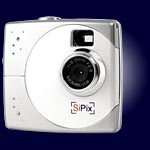
Tiny, clever,
keyring, instant, spy, flashy and impressive cameras from under £40? From
the pocket-sized Snap and Gsmart, to the L'Esion keyring, and the Fuji Instax
Mini 20 (The Polaroid of the future), check out I
want one of those!
Other Links:
 Del.icio.us
 Digg
Digg StumbleUpon
 Technorati
 Facebook
Computers / Games
Digital TV
DVD Shopping
Finance
Gadget Shopping
Gifts Ideas
Gifts 4 Girls
Insurance
Internet
Mobile Phones
Travel
Shopping Sites
Buyers Guide
Buyer Beware
How to complain
 |
 |